How to Make a Soccer Highlight Video for College Recruiting
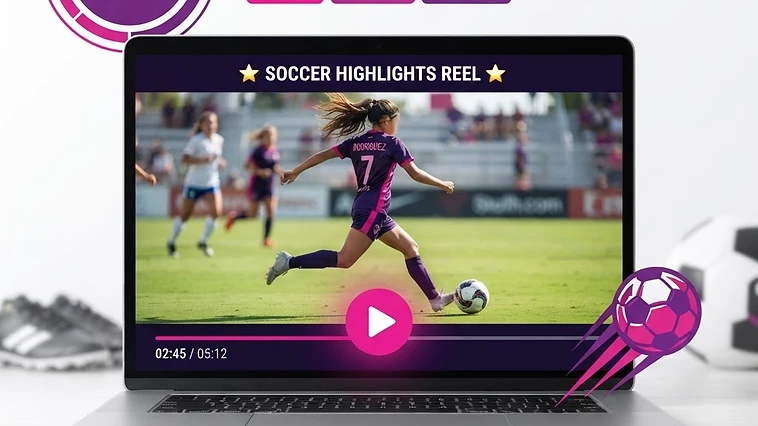
Key Takeaways
- Aim for a two to three minute video with your best clips in the first thirty seconds.
- Choose clips that show decisions (first touch, passing, defending, movement), not just goals, and mark which player is you.
- Upload it as an unlisted YouTube video and add the link to every email and to your profile.
If you are a girl who plays club or high school soccer and you want to be seen by college coaches, a clear highlight video is one of the simplest tools you control. You do not need expensive software or a professional editor. You need a plan. In this guide, we will walk through how to make a soccer highlight video for college recruiting, step by step, so you can send one link to a coach with confidence.
Why a highlight video matters
A college coach receives many messages in a season. A short video lets them see you play in less than two minutes, without traveling to a game. It does not replace being seen live, and it will not guarantee a response or a roster spot. But it gives your email something concrete to point to.
How long should it be?
Keep it short. A good target is two to three minutes, and put your best clips in the first thirty seconds. Coaches are busy, and if the first clip is weak, they may stop watching. If you do not have enough strong clips yet, a shorter video is better than a padded one.
Start with a title card
Before any footage, show a simple card with the information a coach needs:
- Your name, position and graduation year
- Club and high school team
- Jersey color and number (so the coach can find you in the clips)
- Your email, height, and GPA if you are comfortable sharing it
Leave this card up for three to five seconds. Then go straight to your best play.
Which clips to choose
Many players only pick goals. Coaches often want to see decisions, not just finishes. Pick clips that show:
- First touch and control under pressure
- Passing that breaks a line or switches the field
- Defending: winning the ball, tracking back, communication
- Movement without the ball
- Finishing or saving, depending on your position
Choose clips where the camera shows the whole field, so coaches can see what happens around you. Use a circle or arrow marker at the start of each clip so they know which player is you.
Put them in the right order
Open with your strongest clip, end with your second strongest, and put the others in between. Group similar skills together so the video feels organized. Do not add slow motion or heavy effects. Let the play speak.
Simple editing
You can edit on a phone with a free app. Keep the cuts clean, add the title card, add a circle marker, and use quiet background music, or none at all. Music that is too loud can distract from the play. Add your name and contact email on a final card.
Where to post it
Upload it to YouTube as an unlisted video, so only people with the link can see it. Name the video with your name, position and graduation year, for example "Jane Smith, Midfielder, Class of 2028". Add the link to your recruiting profile and to every email you send.
A full game helps too
Some coaches will ask for a full game after they watch your highlights. Keep one or two full games ready to share.
What to write in the email
Keep your email short:
- Who you are, your position and graduation year
- Why you are interested in their program
- The link to your highlight video and your upcoming schedule
- Your contact information
You will find more about how to write that email in our guide on how to email a college soccer coach.
Common mistakes
- A video that is longer than five minutes
- Clips of the wrong player or unclear footage
- Loud music and too many effects
- Old footage that does not look like how you play today
- Forgetting to update the video each season
Build your profile on Athletes of Life
When your video is ready, add it to your free profile at athletesoflife.app, so the video, your stats and your goals are all in one place.
Create your free profile at athletesoflife.app and add your video today. Born to Shine 💎
Frequently Asked Questions
Create your free profile
Join the Athletes of Life Virtual Club and start building the pathway to college soccer today.
Start Now